n-Track Frequently Asked Questions
FAQ Index | iOS and Android apps
- Locating iPhone & iPad app crash logs
If an app is freezing or crashing regularly, we may request crash logs from you to help us diagnose any issues. Crash logs contain information about what the app was doing just prior to the crash.
Sending the crash report from your device
To locate and email crash reports for iOS, iPadOS, watchOS, and tvOS apps:
- Open the Analytics & Improvements section of Settings on the device. See Share analytics, diagnostics, and usage information with Apple.
- Tap Analytics Data.
- Locate the log for the n-Track app. The log name starts with _ for crash reports, or JetsamEvent_ for high-memory use crashes.
- Select the desired log.
- Tap the Share icon, and select Mail to send the crash report as a mail attachment.
Sending the crash report from a PC/Mac
To find a log file, please sync your iPhone, iPod or iPad first, then locate the correct log file for the app using the path for your OS below.
The log file’s name should start with the app’s name.
MAC OS X
In the Finder, hold down the option key and open the Go menu and choose Library. Then navigate to ~/Library/Logs/CrashReporter/MobileDevice//
Once you’ve located the correct file or files, please email them back to us.
Windows XP
C:\Documents and Settings\Application Data\Apple computer\Logs\CrashReporter\\
Once you’ve located the correct file or files, please email them back to us.
Windows Vista and later
C:\Users\AppData\Roaming\Apple computer\Logs\CrashReporter\MobileDevice\\
Once you’ve located the correct file or files, please email them back to us.
Enabling automatic crash reports
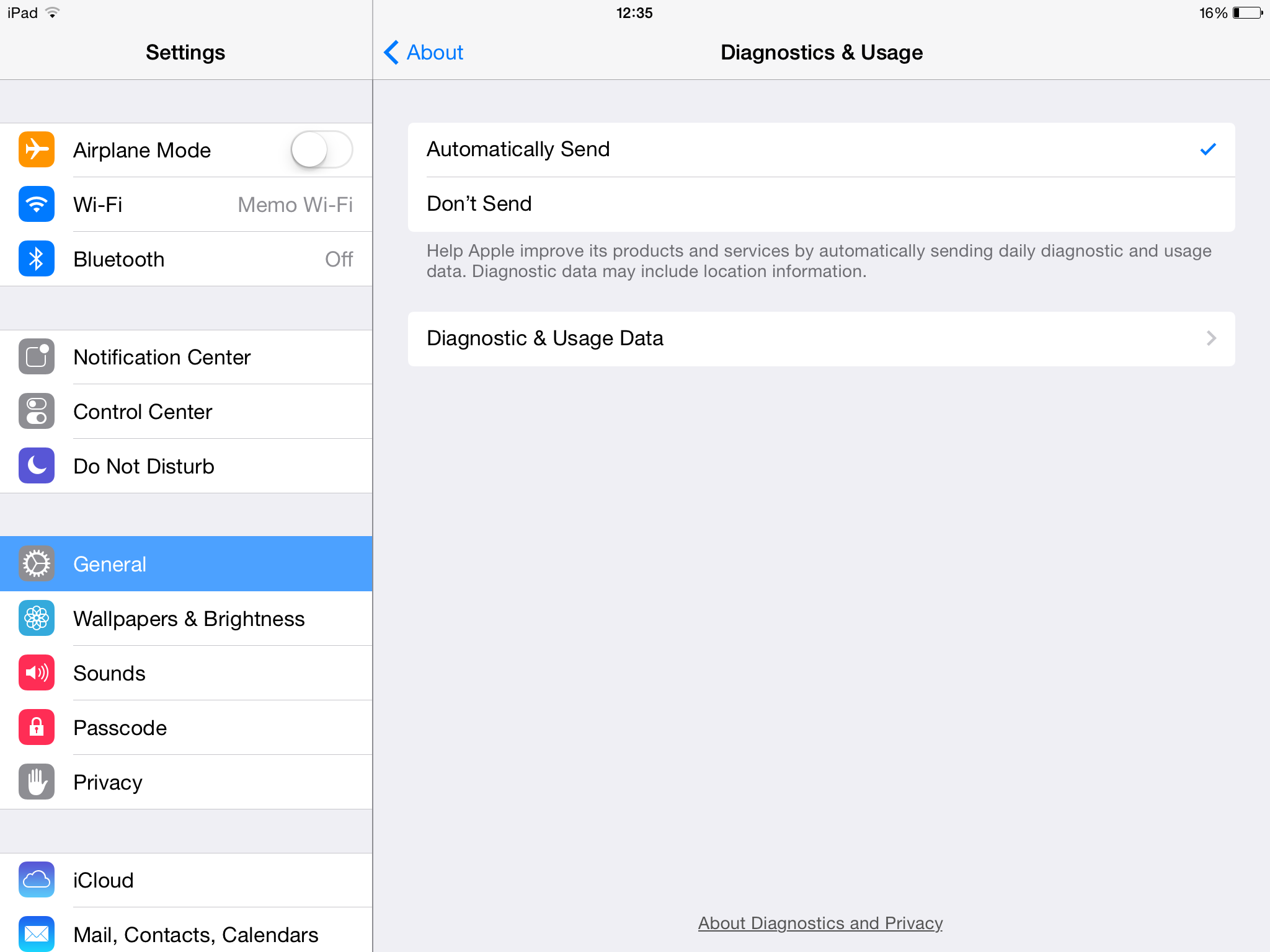
It would also be useful to us if you could set your device to automatically send crash reports to Apple so that we may analyze them without you having to manually send them to us. Please follow these instructions:
- Tap the Settings app on your home screen
- In Settings, tap General in the left column and then tap About
- In the About view, tap Diagnostics & Usage
- In the Diagnostics & Usage view, tap Automatically Send
FAQ Index | iOS and Android apps
Support request |
n-Track Forum
© 2026 n-Track S.r.l. | VAT ID IT15290211000
 n-Track