n-Track Frequently Asked Questions
FAQ Index | iOS and Android apps
- How to send an Android bug report
Some issues related to n-Track Android apps may require deeper investigation by our developers. In such cases we may ask you to send a bug report.
Follow these steps to create a bug report on your Android device and send it to n-Track support.
Please send only bug reports related to n-Track audio and music apps, not for other apps or for bugs in the operating system.
NOTE: The following steps may differ depending on the version of your Android operating system and mobile device type.
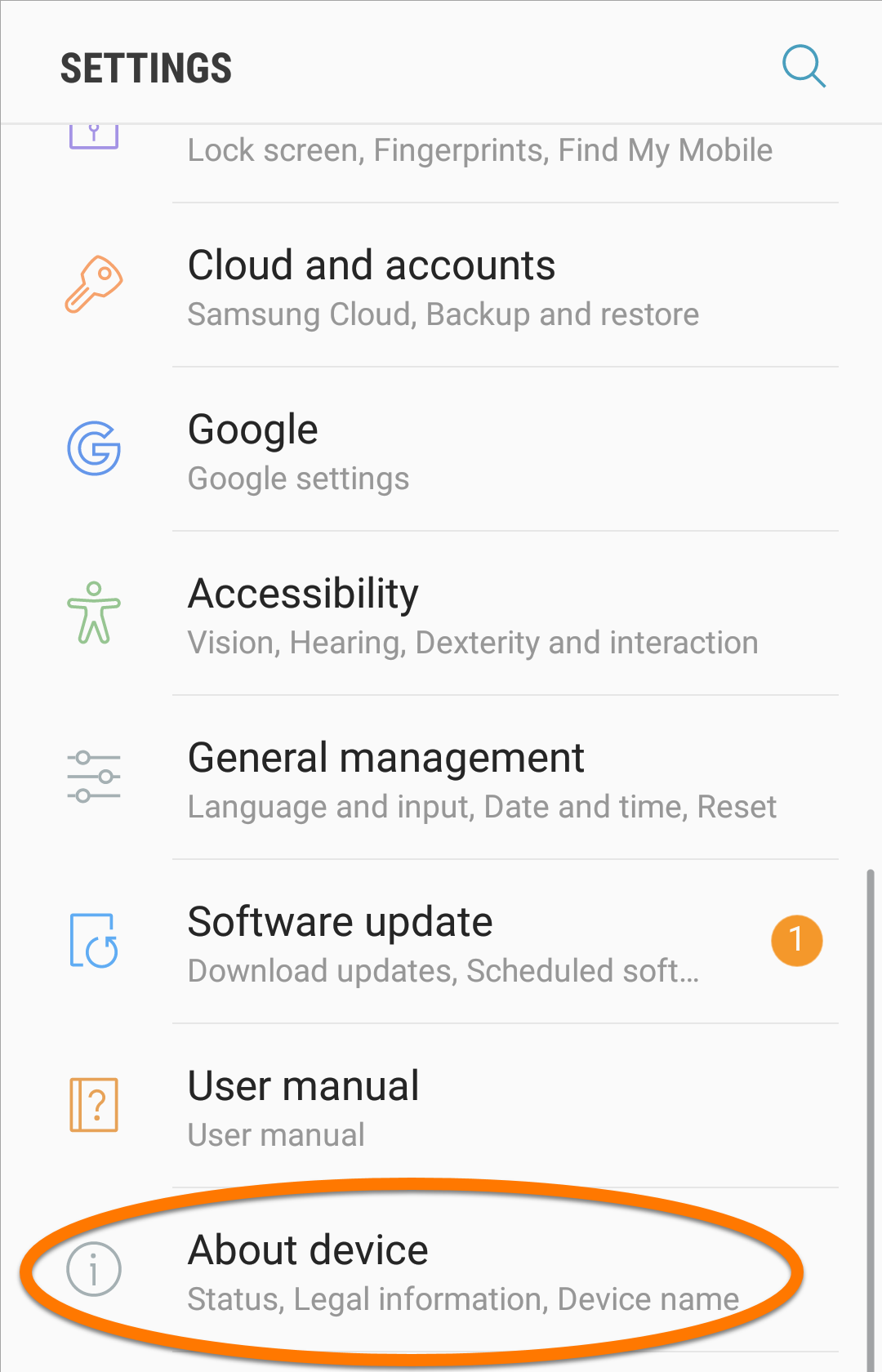
- On your Android device, go to Settings -> About or Settings -> About device.
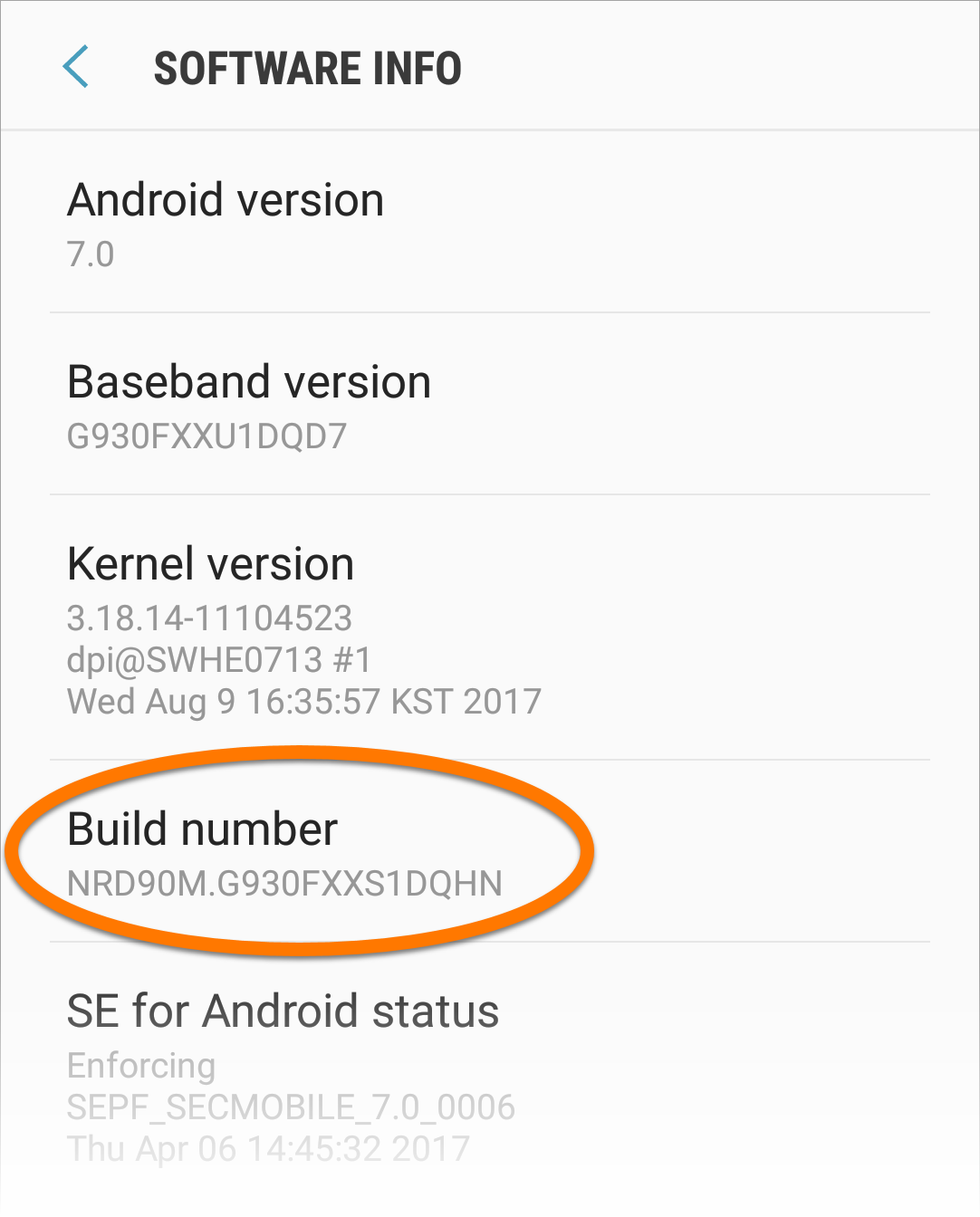
- Tap the Build number option 7 times to unlock Developer options. On some devices, you may need to tap Software info first.
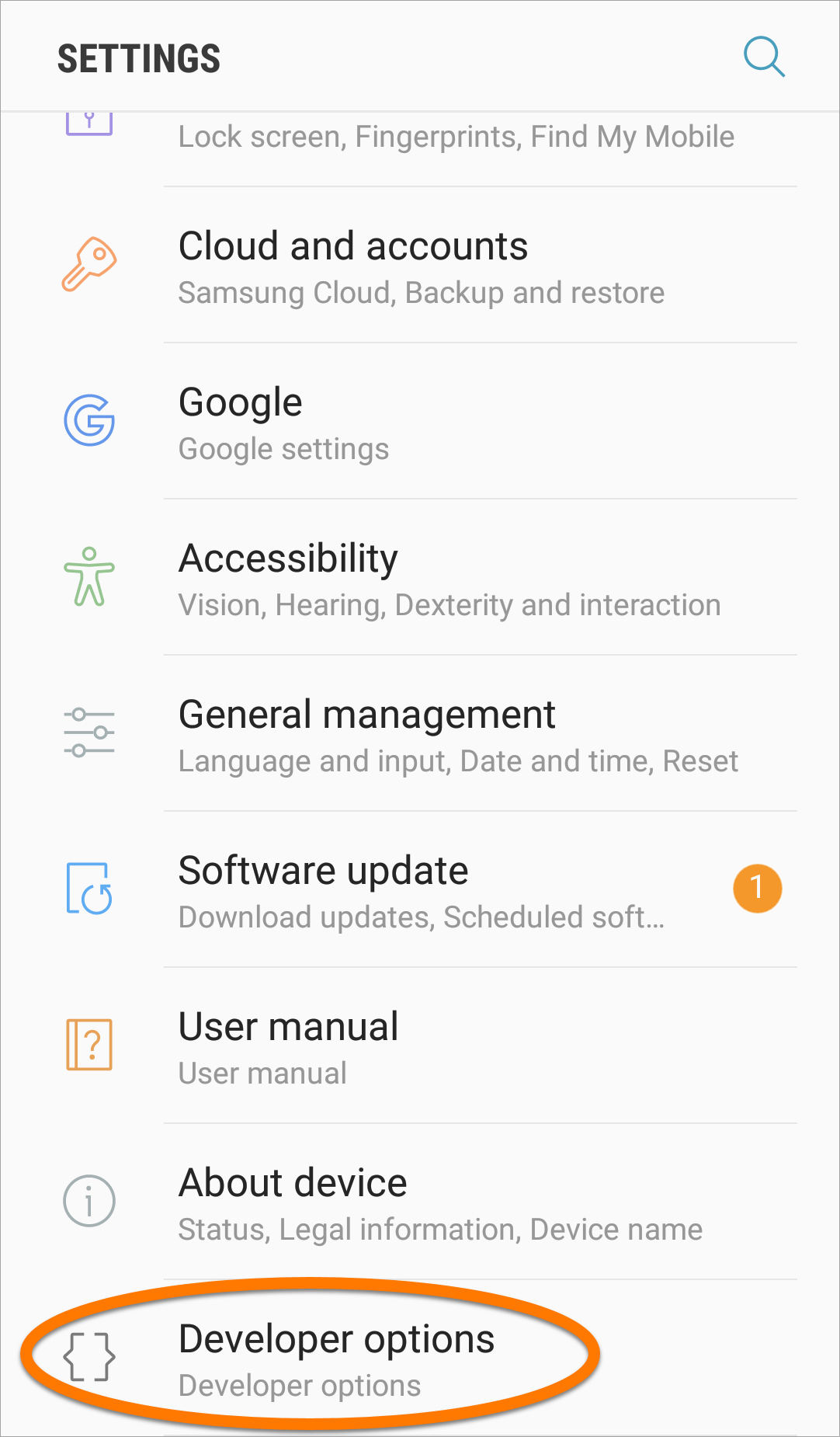
- Go to Settings -> Developer options.
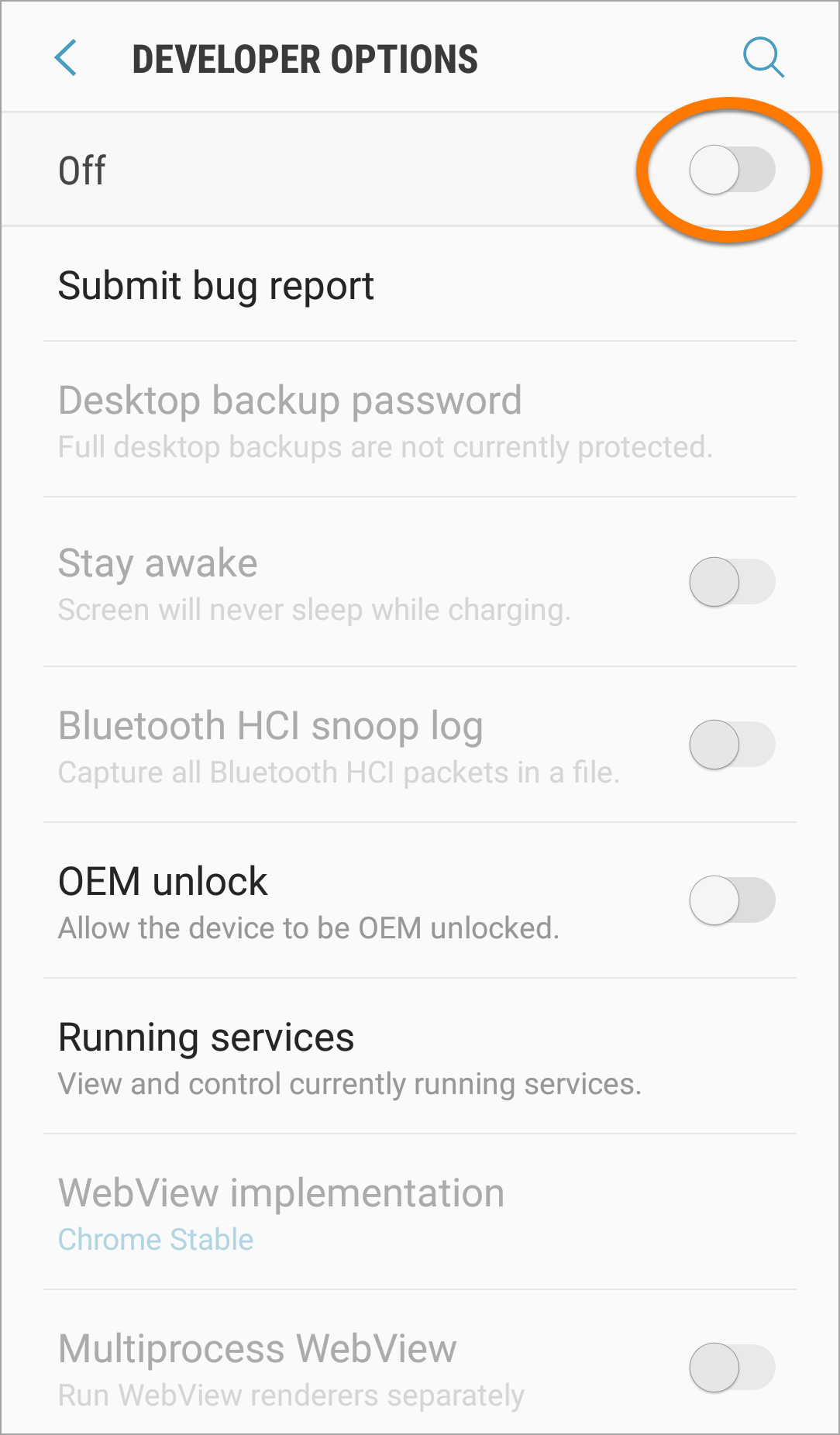
- Enable Developer options by tapping the slider.
- Go back to Settings -> Developer options.
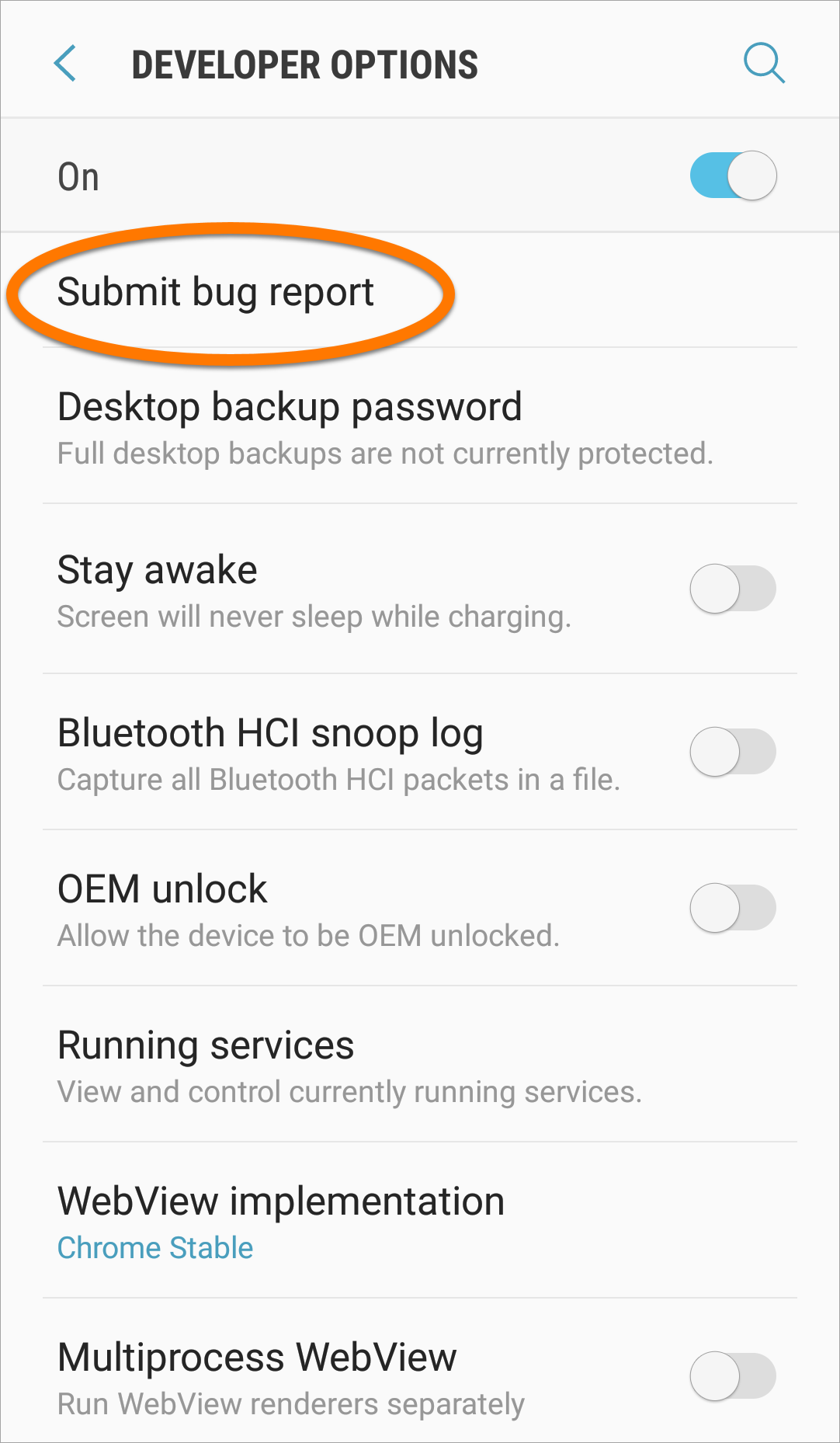
- Tap Take bug report or Submit bug report.
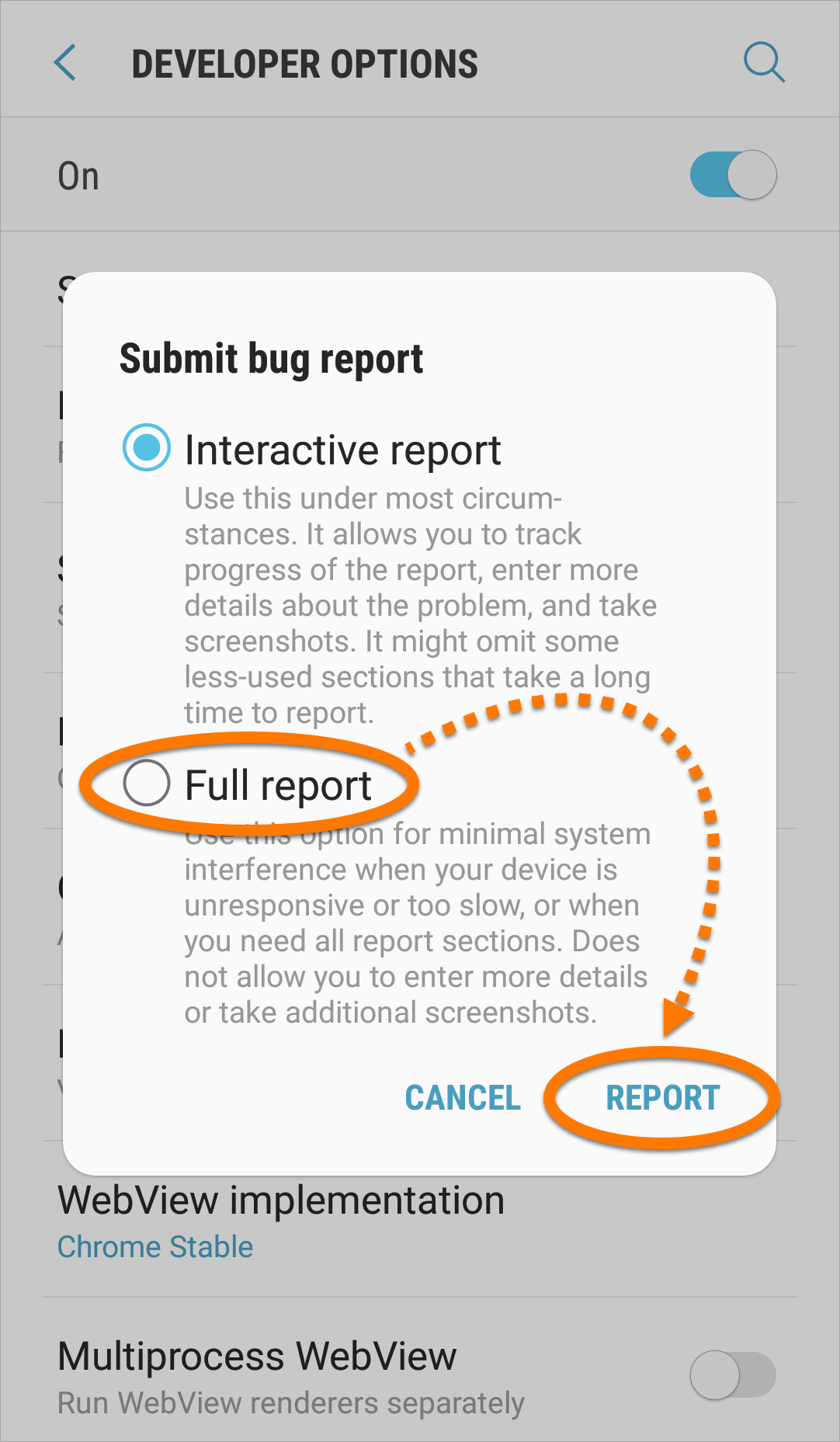
- If prompted to select a type of report, select Full report. Then tap Report.
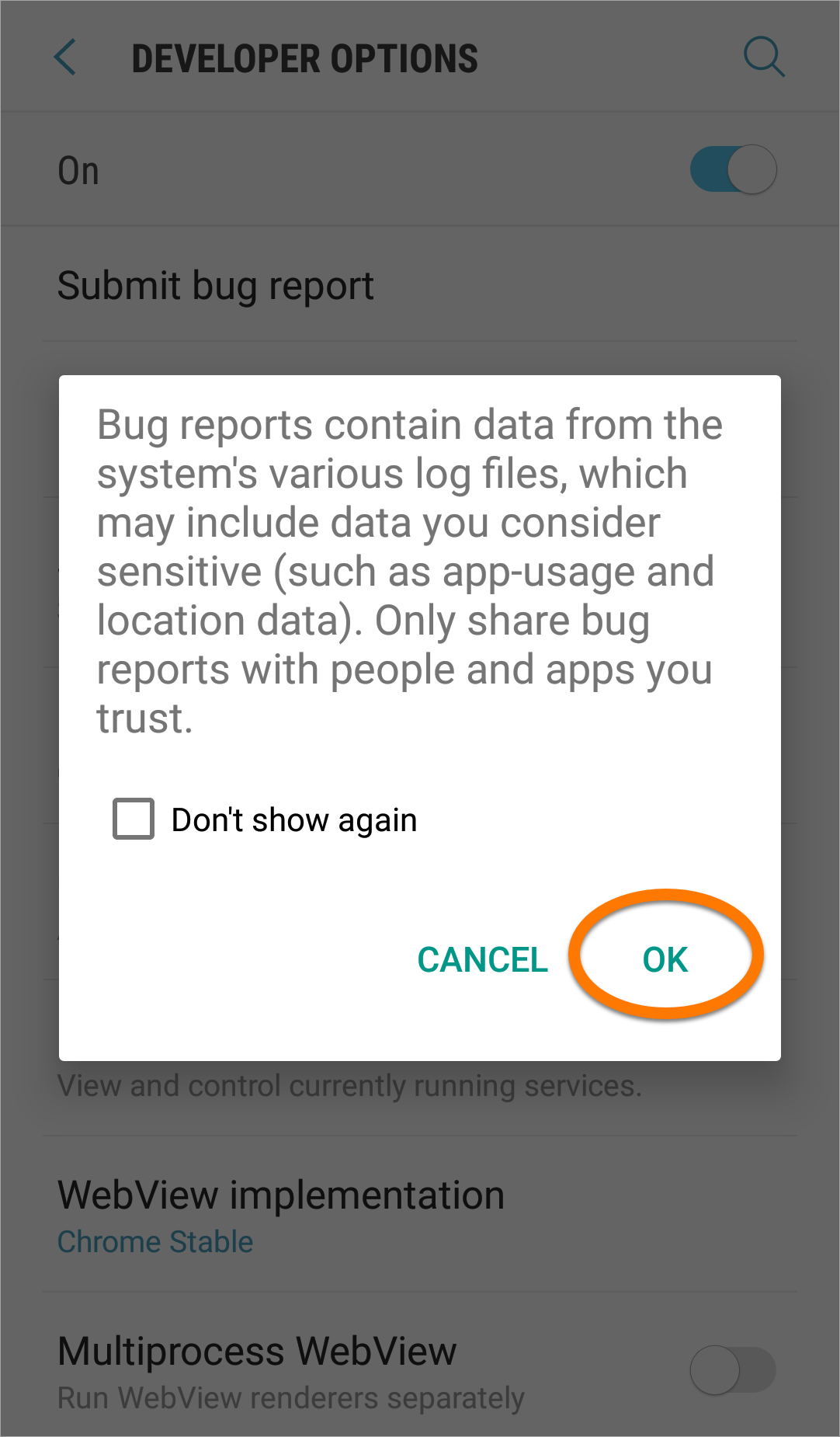
- On the notification bar of your device, tap Bug report captured and tap OK in the dialog.
- Tap your email client icon, for example, Gmail. Follow these steps to send to our developers a message with the generated bug report:
- Change the address in the To field to android@ntrack.com.
- In the Subject field, write short description of your issue, for example:
n-Track Studio - crash tapping xyz button
- In the body of the message, type the detailed issue description.
Please note that we won't review bug reports that don't contain a description of the issue.
If you are able to reproduce your issue, if possible please record a short video showing how to reproduce the issue and include the link to your video in the body of this message.
- Ensure that the bug report file is attached to your message.
- Tap Send.
Our developers will investigate your issue and contact you as soon as possible.
FAQ Index | iOS and Android apps
Support request |
n-Track Forum
© 2026 n-Track S.r.l. | VAT ID IT15290211000
 n-Track